


You wired TinyMCE AI into your app and it works. Then a user opens the chat. It can only see the document in front of it, and nothing else about your application. So your users paste the rest in themselves. The support ticket the reply belongs to. The customer record. The three replies that came before it in the thread. Before every single request. That is integration work, and right now your users are the ones doing it.
8.4 put the AI in the editor. 8.7 put it somewhere your security team could live with. 8.9 tells it what it is working with.
Brief the AI once, not every time
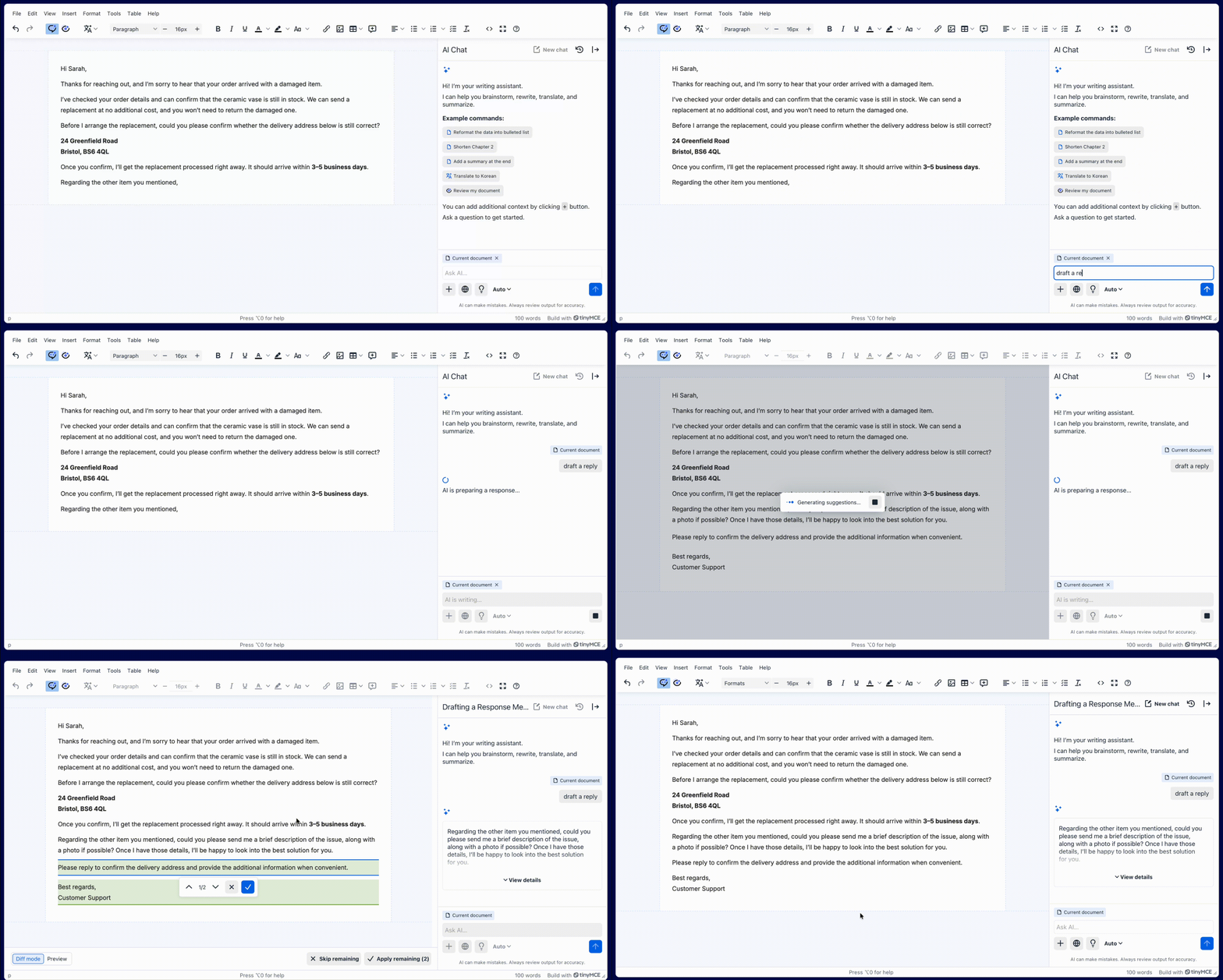
New in 8.9: you can supply initial context for a chat conversation.
It is a configuration option. You pass a string of background alongside the user's first message, without them typing a word of it. A support ticket thread they are replying to. Your brand style guide. An instruction to draft replies in the language used in the ticket.
The user asks "draft a reply." The AI already knows which reply.
It matters more for the questions that are not requests at all. What has this customer already been told? What is this ticket missing? Where does this contradict the style guide?
A rewrite at least has the document in front of it — a question has nothing.
That is the whole idea, and it is deliberately small. No more blank slate, initial relevant context provided to any AI assisted conversation. What it does is remove the most common piece of friction in every AI integration we see: the user re-explaining their own application to the assistant sitting inside it.
Initial context works everywhere TinyMCE AI works, cloud and self-hosted.
Run AI Review from your own workflow
Until now, an AI Review started when someone clicked a button in the editor toolbar.
8.9 adds commands, so it can start anywhere in your product:
editor.execCommand("TinyMCEAIReviewProofread");
editor.execCommand("TinyMCEAIReviewToneProfessional");
editor.execCommand("TinyMCEAIReviewCustom", false, {
  /*your review*/
});
Task prompts describe the requested operation:
This means review stops being a feature your users have to remember and starts being a step in your workflow. Run it when a document moves to the approval stage. Run it from a button in your own toolbar. Run it on a schedule, across a queue, from a form your reviewers already use.
The suggestions still land in the editor as accept-or-reject cards,waiting for whoever opens the document next, and a person still decides what ships. Automating when the review runs is not the same as automating who is accountable for the result, and we have no intention of blurring that line.
Give the conversation room
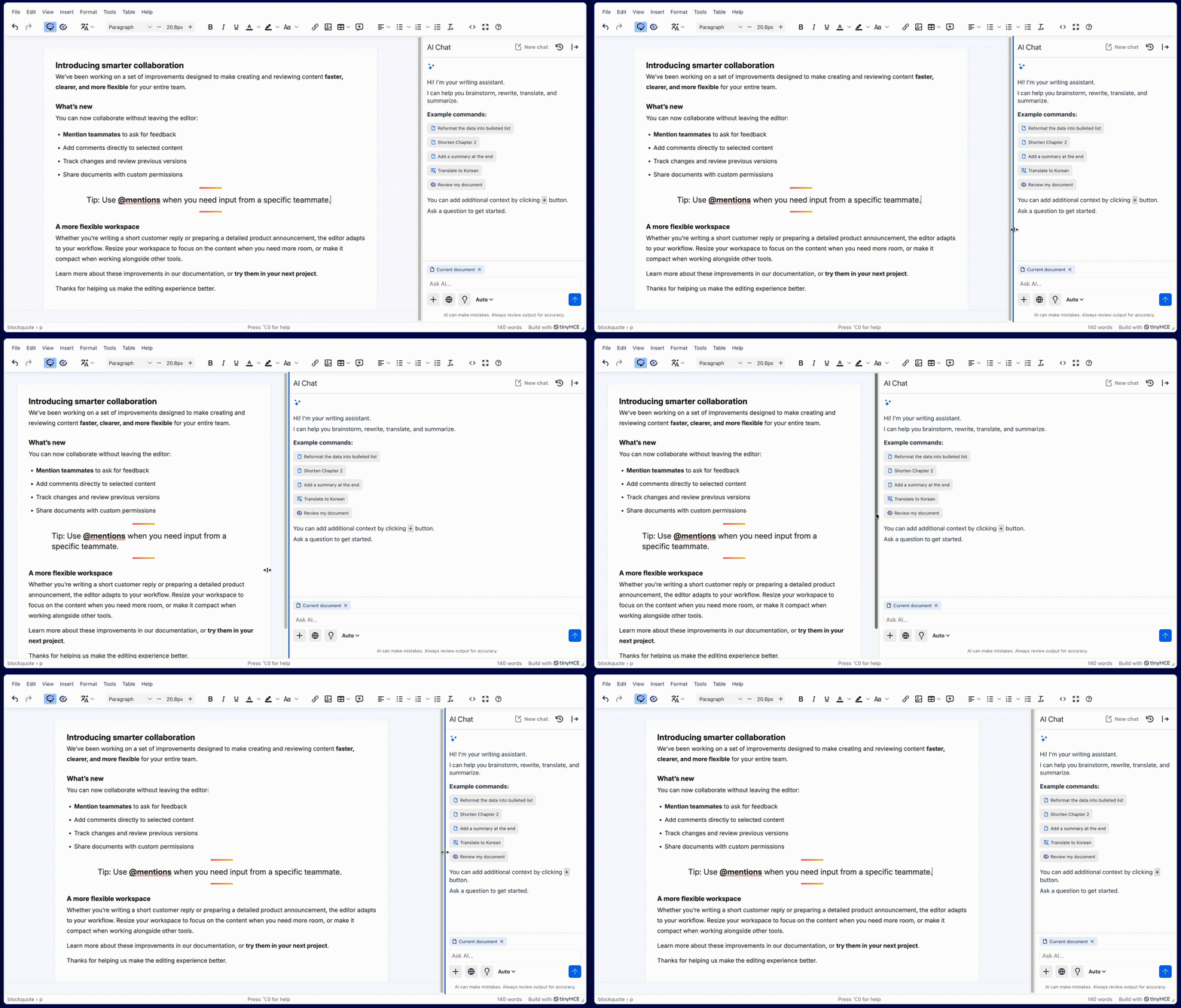
Chat conversations get long, people think out loud in there, not just ask for edits — and a narrow sidebar is a bad place to read one. Now you can drag it wider.
Sidebars registered as resizable can now be dragged. The AI and Comments sidebars are both resizable by default. Comments now opens at 440 pixels to match AI, and either can be dragged out to 800.
If you build your own sidebars, three options control the behaviour — sidebar_width, sidebar_min_width, and sidebar_max_width — and two new events, SidebarResizeStart and SidebarResized, let you react to the change. The editable area never drops below 280 pixels, so the document stays workable no matter how far someone drags.Comments that stay visible
Comment highlights used to disappear the moment the sidebar closed. People overwrote each other's comments without knowing they were there.
Turn on tinycomments_always_show_highlights and highlights stay visible in the editor whether the sidebar is open or shut. Click one and the sidebar reopens on it.
It is opt-in, because changing the default would change behaviour for existing integrations, and we would rather you chose the moment.
When the AI cannot do something, it now says why
Another quality of life improvement, a meaningful one. A user who hits an unexplained failure concludes the product is broken; a user who reads a clear sentence concludes they need a smaller file. One of those becomes a support ticket. The other does not.
In this release we have improved error messages across Tiny, from AI context limit in chat to file context source failing.
Small but mighty, also in 8.9
- Scroll position is preserved moving between the editor and the AI preview, and welcome actions no longer jump you to the top of the document.
- Tooltips can be dismissed with Esc, without moving focus or pointer - WCAG 2.1 SC 1.4.13.
- Third-party plugins can now supply their own documentation links.
- Text alongside nested lists and tables is tracked as a block-level change in Review mode.
Full detail is in the 8.9.0 release notes.
Where this is going
Every AI integration eventually runs into the same wall. The model is good. The editor is fine. What is missing is everything the model does not know about the application it is sitting in.
You can solve that yourself. Build a context pipeline, wire it to the editor, keep it working when the provider deprecates a model ninety days after the successor lands. Or you can spend that quarter on the part of your product your customers actually pay you for.
8.9 is one step of that work done for you. There is more of it coming.
TinyMCE AI is opt-in — it is not enabled by default, and no content leaves your editor until you configure it to.
Start here: Initial context in the TinyMCE AI docs | Upgrade to 8.9
Running self-hosted and want MCP? Talk to us about the TinyMCE AI On-Premises POC.


