


Businesses in all industries are providing AI tools to increase productivity, give their employees improved workflows, and add new features to their products. But most of these tools aren’t natively integrated into business tools where users work. Instead, they’re at a UI level elsewhere. Often the work ends up passed from tool to tool until its final stage. This is a functional pattern, but it's friction that compounds across every piece of content your team produces.
The newly launched TinyMCE AI helps to eliminate that friction. It's a complete AI writing environment built directly into your software’s rich text editor (RTE) with conversational chat, context-aware quick actions, and automated document review. Your users never leave your app to get the AI help they need. Try the demo to see it in action.
From AI Assistant to TinyMCE AI
TinyMCE's previous AI offering, AI Assistant, was a simple conversational AI plugin with a library of predefined shortcuts and a free-form chat dialog. Users selected text, applied a predefined command, and got a result. It was useful but limited: one action at a time without full document awareness, and you needed to bring your own API key and AI back end.
TinyMCE AI is built different, with a native AI interface with multiple options:
- Conversational chat with document context
- Automated quality review
- Customizable quick actions for specific workflows
- A fully managed service with no AI API key required*
*TinyMCE AI on-premises is available for early access. Contact the TinyMCE team to learn more about early access.
What TinyMCE AI does
TinyMCE AI is more than an AI layer in your RTE. It’s a set of intelligent features that provide a review and control layer across your whole app’s experience. Your app becomes a complete workflow, where your users remain in control of document changes. There’s no unexpected rewrites or random content modification. Your users see what’s being suggested, reviewed, translated, or added to in the context of their work and your application.
There are three core features of TinyMCE AI for your users that highlight this complete control. Each is independently configurable, and all of them work inside the editor your users are already in.
Conversational AI chat
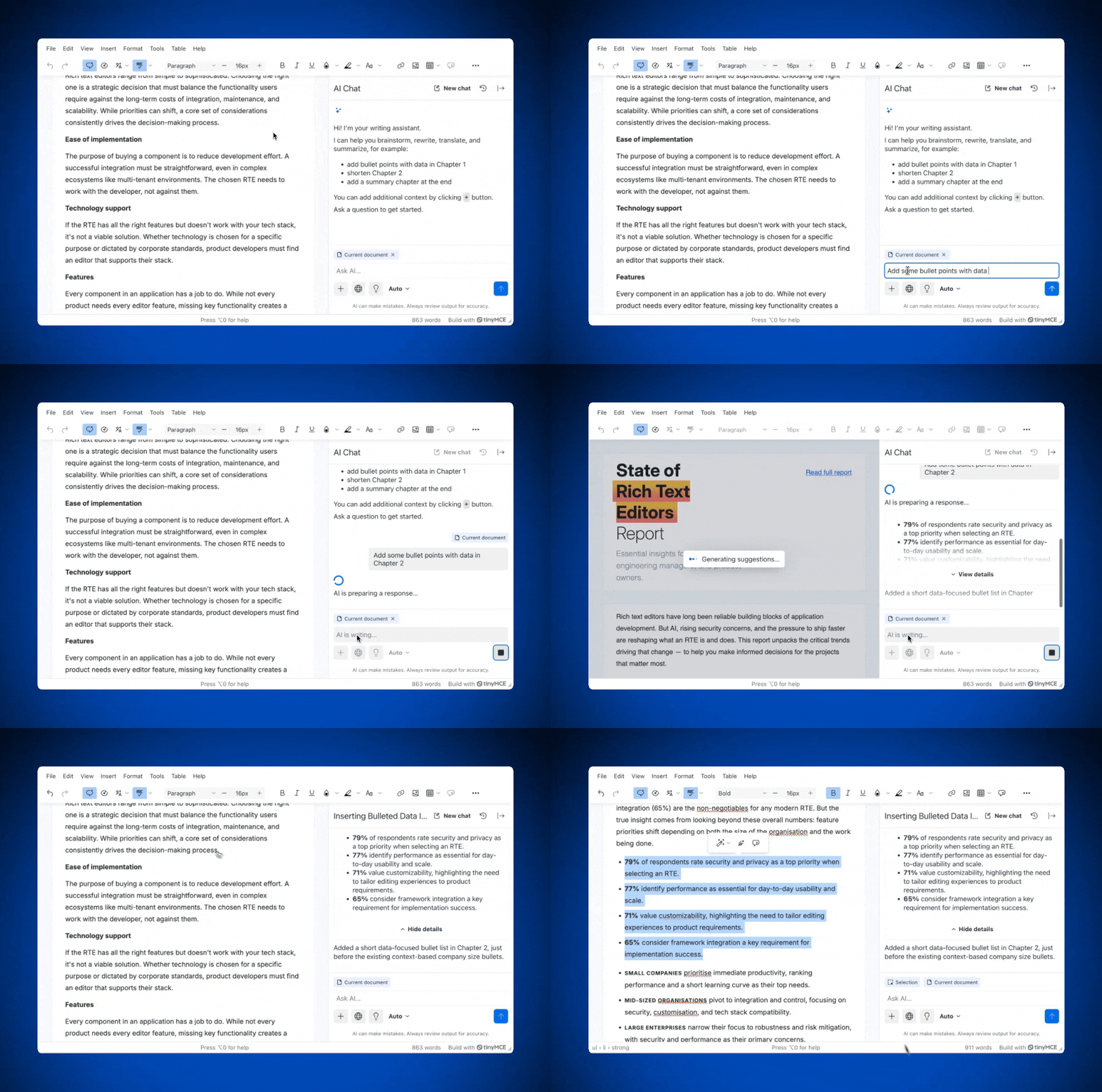
The chat panel gives users a persistent, multi-turn conversation with full awareness of what's in the document. Users can ask the AI to expand a section, restructure an argument, or generate a first draft from a brief, and the output goes straight into the editor. It’s also perfect for in-app research: The chat window offers full access to fact-finding and brainstorming alike. TinyMCE AI’s chat panel provides a complete AI experience right in your software.
Developers can configure file and URL uploads, so users can bring in external source materials. Chat can be primed with brand or organizational instructions.
Model selection in TinyMCE AI is more than a configuration option. Enterprises often need different models for different tasks, and locking users into a single provider creates real procurement and engineering constraints. TinyMCE AI supports OpenAI, Anthropic Claude, and Google Gemini out of the box, with model selection controlled at the integrator level. That means your organization can provision access to the right model for the right workflow, without rebuilding your integration each time your needs change.
Context-aware quick actions
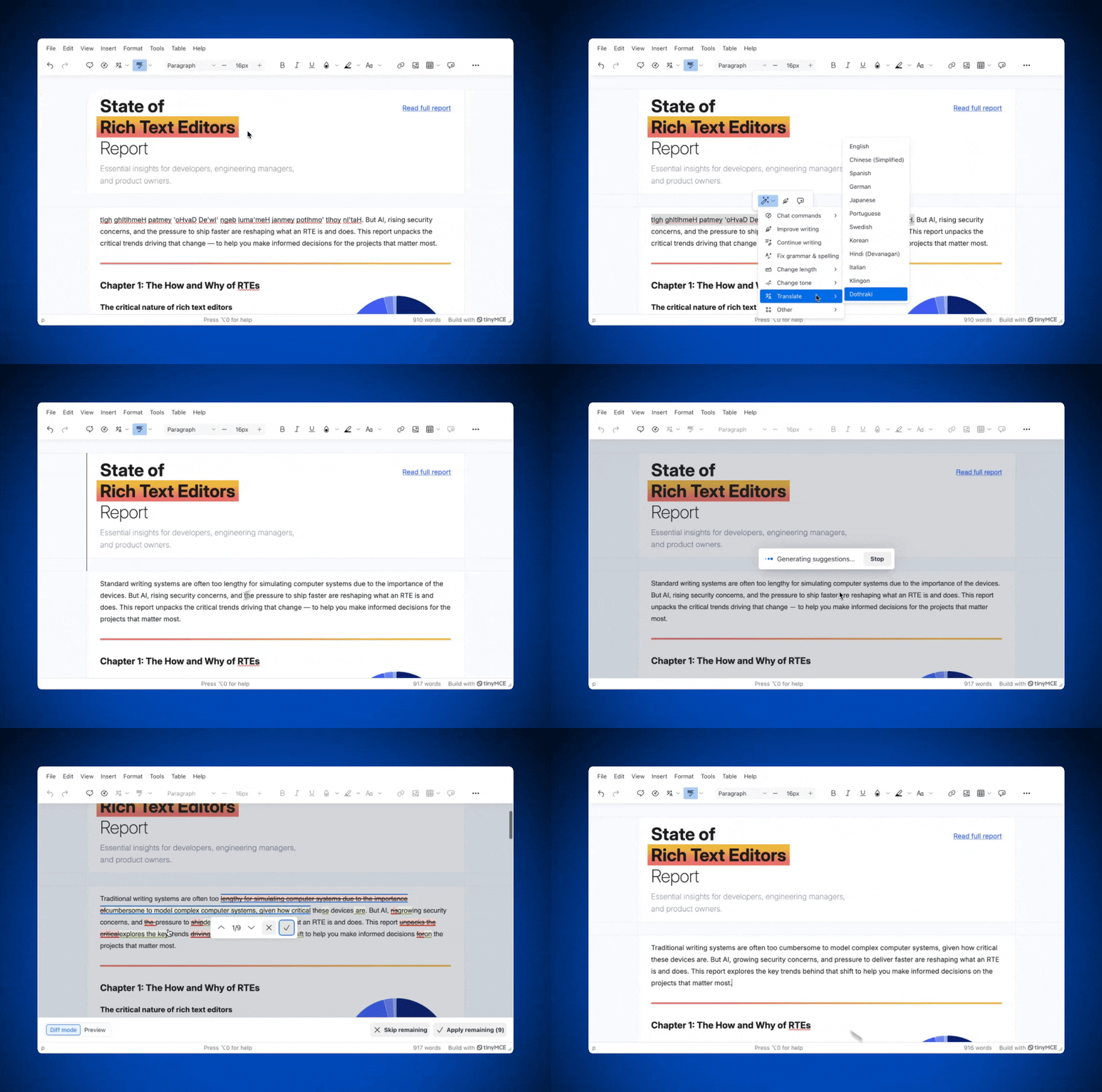
TinyMCE AI quick actions are predefined commands applied directly to selected text: translate, rewrite, expand, shorten, change tone. Highlight a paragraph, trigger an action, and the transformation happens in place.
The prompts behind each action are customizable, so you can rename, delete, or add your own prompts and configure them according to your requirements. "Change tone to professional" means whatever your brand guidelines say it means, not whatever the LLM defaults to. Developers can add, remove, or rename actions entirely through the tinymce.init() config and gate access by user role via JWT tokens.
AI review
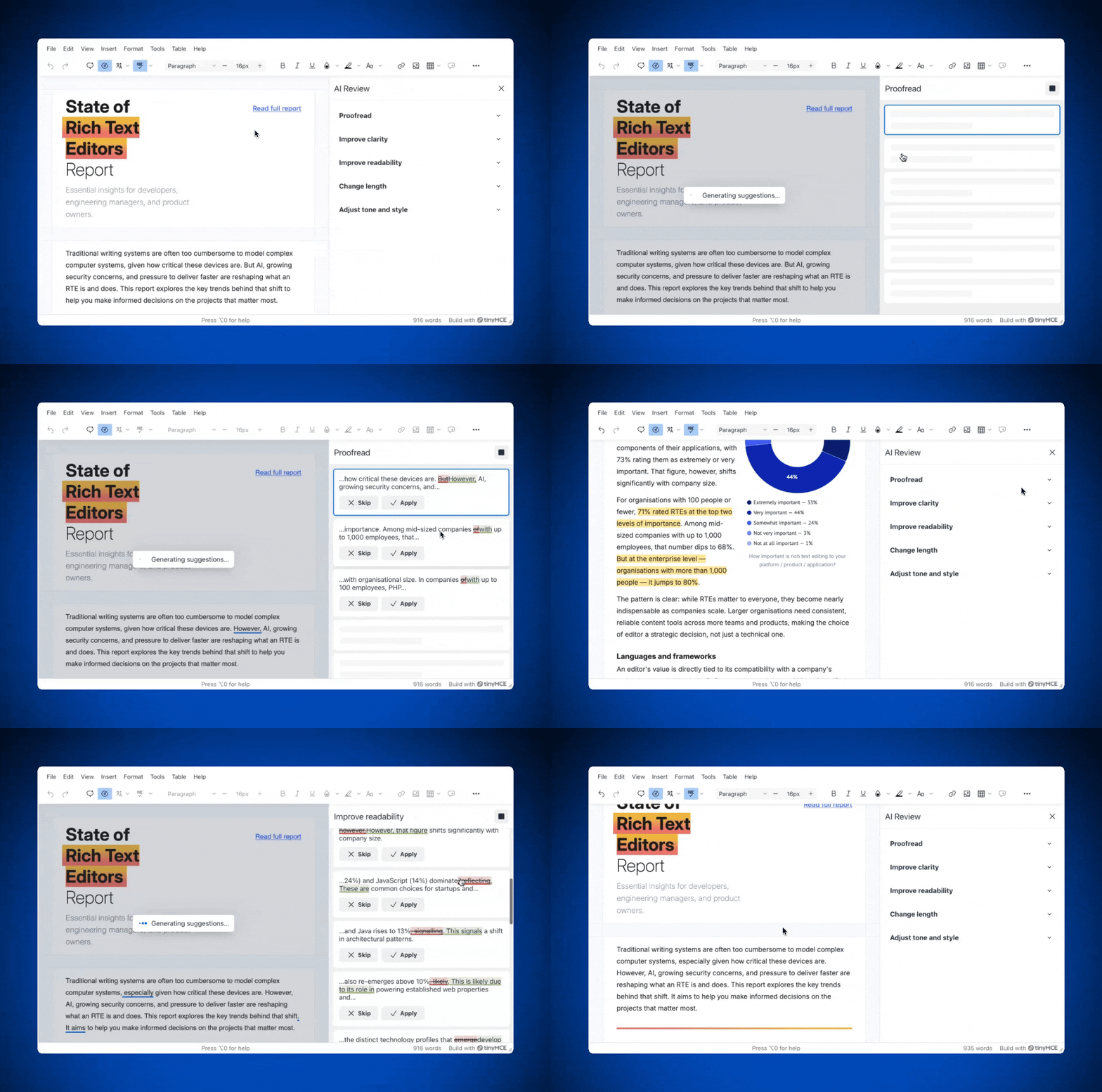
TinyMCE AI Review runs automated quality checks across the full document and surfaces inline suggestions for grammar, style, tone, and readability. Nothing is applied automatically. Users preview every change before it lands.
There is a myriad of review criteria to choose from. Tell it to flag passive voice, enforce a specific reading level, or catch tone drift from your brand guidelines. It's independently configurable from chat and quick actions, so you can enable exactly what your users need.
TinyMCE AI is easy to integrate
TinyMCE AI is designed to be embedded in your product, not used alongside it. Unlike standalone writing tools that require your users to switch contexts, or AI features locked to a specific platform's ecosystem, TinyMCE AI lives inside the editor you've already integrated. Your users work in your application, with your branding and your configuration, and the AI assistance is just part of that experience.
TinyMCE AI is a drop-in plugin. Adding it to an existing TinyMCE installation takes three steps for your developers:
- Add
tinymceaito yourpluginslist and the AI toolbar buttons to your toolbar. - Add a
tinymceai_token_providerfunction to your editor config. - Set up a backend JWT endpoint to handle authentication.
JWT guides are available for TinyMCE AI with Node.js and TinyMCE AI with PHP. The JWT authentication handles multiple paths to control access. User access levels can be adjusted depending on your use case, and you can manage access to AI features.
Optional configuration, like custom quick actions, model selection, and file upload support, all go through the same tinymce.init() config.
There is no AI provider account to set up or manage, no streaming logic to write, and no custom UI to maintain. The TinyMCE team handles model updates as APIs evolve. Your team just installs and customizes as you need.
Wrap up: Availability and pricing
You can try TinyMCE AI today! TinyMCE AI is available now as a premium add-on for cloud-hosted TinyMCE subscriptions on the Essential plan and above. Pricing is usage-based and varies depending on the AI you choose, so check out the TinyMCE AI Pricing for more information.
Try TinyMCE AI with a 14 day free trial (cloud or self-hosted), and see how native AI inside your RTE changes everything.
Note: Custom enterprise allocations are also available. Self-hosted deployment with the ability to bring your own LLM is available for early access. For more information, contact the TinyMCE team.


