How TinyMCE usage-based billing works
With Tiny Cloud, we use Usage-Based Billing, so that you only pay for what you need. Here’s how to calculate the current usage and forecast the spending for any version of TinyMCE.
Understanding the basics
What is the editor load
The usage is calculated based on the number of editor loads — the events that occur each time TinyMCE is initialized in your application. The editor dispatches the 'init' event to indicate a successful load. For example, if 100 users load TinyMCE 10 times each, the result would be 1,000 editor loads.
How to check your usage
Open your account and go to the TinyMCE Subscription tab. Below the plan details, you’ll see the current editor loads.
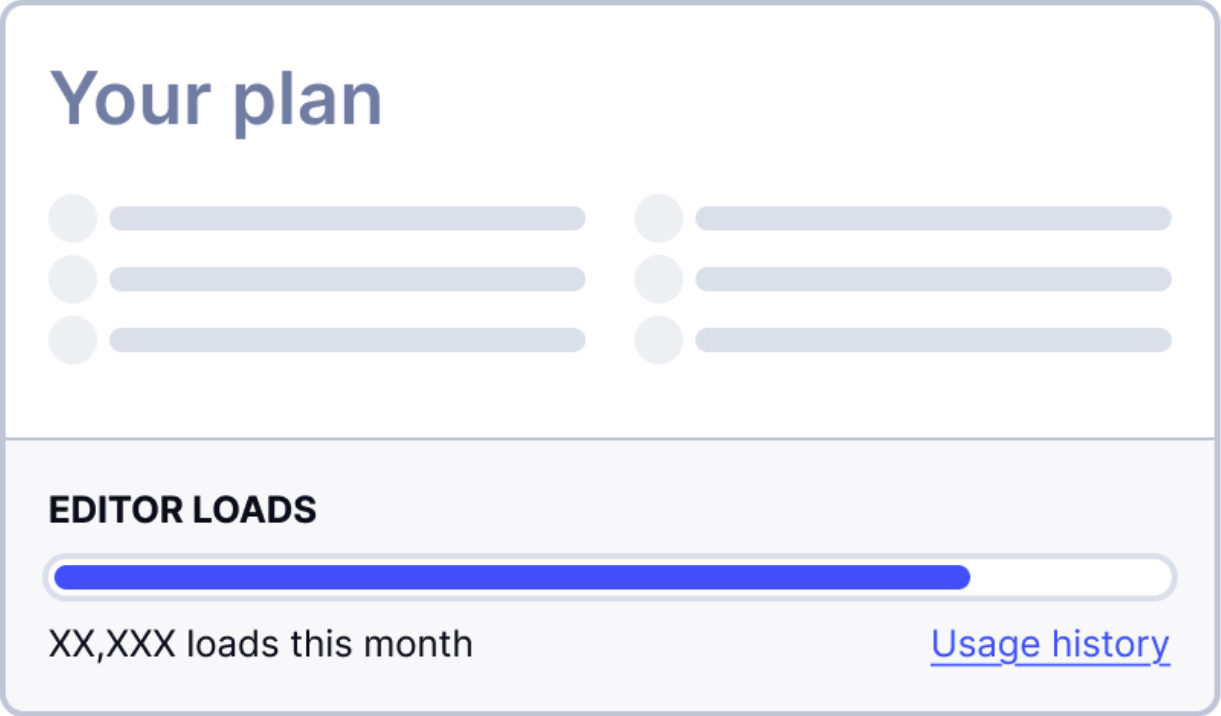
It could take 2-4 hours to update the number of loads. Once the billing cycle is over, you'll find the exact numbers in the Usage history.
Your plan
How many editor loads is included in the billing cycle
Each plan includes a specific number of editor loads. Once you reach this number, extra loads will be rounded up to the nearest 1,000 — we call these overage loads or overages. You’ll be charged separately for overages.
| Editor loads by plan | ||
|---|---|---|
| Free | Essential | Professional |
| 1,000 per month | 5,000 per month | 20,000 per month |
When does a billing cycle start
Your first billing cycle starts after the trial end and lasts a month. When it’s over, your usage resets to 0.
For example, your trial ended on May 15th at 12:00. Then the first billing cycle starts the same day at 12:01. Next time you’ll be billed on June 15th, then July 15th, and so on.
With annual plans, you are billed once a year, but everything else works the same as the monthly plans. You have a limited number of loads per month, and the usage resets once the month is over. If you have any overages, they’ll be included in a separate invoice.
What happens when your loads run out before the billing cycle ends
Every 1,000 editor loads over the plan limit costs $40 (or $65, if you’re using a legacy version of TinyMCE). After the end of your billing cycle, we’ll calculate the exact number of loads and include them in your invoice.
We will send you an email notification when you reach 50%, 70% and 100% of your editor loads.
Calculating costs
How much will you pay
Estimating your spending is simple. You only need three numbers: the subscription cost, its monthly limits, and the current editor loads.
Here’s an example. Imagine you have an Essential Monthly plan with 17,200 total editor loads. First, take your total editor loads and subtract the plan limit:
17,200 - 5,000 = 12,200 loadsRound up 12,200 to the nearest thousand and get 13,000 loads.
Divide by 1,000 and multiply by $40:
13,000 / 1,000 * $40 = $520And add back your plan’s monthly fee:
$520 + $79 = $579Adding the cost for the legacy editor versions
TinyMCE 4, TinyMCE 5 and TinyMCE 6 are no longer actively supported. These are legacy versions, and their pricing includes the maintenance cost.
If you use any legacy versions during the billing cycle, your invoice will include an additional flat fee. The amount depends on your plan:
| Essential | Professional | ||
|---|---|---|---|
| Monthly | Annual | Monthly | Annual |
| $35 | $30 | $65 | $55 |
Overages for legacy versions cost $65 per 1,000 editor loads, compared to $40 per 1,000 for supported versions.
How to calculate the spending with the legacy version
The total number of loads in your subscription management includes both legacy and supported version loads.
Say, you’re on an Essential Monthly plan, and your monthly usage looks like this:
| Item | Value |
|---|---|
| Total loads (all versions) | 5,000 |
| Legacy loads | 2,000 |
To calculate the spending, use your subscription cost and the legacy fee:
| Item | Value |
|---|---|
| Subscription cost | $79 |
| Legacy version usage fee | $35 |
| Total | $114 |
But what if you exceed the limits? With overages, the total cost will depend on the editor version linked to them.
Let’s look into another example. The plan is still Essential Monthly, and this is the current usage:
| Item | Value |
|---|---|
| Total loads | 17,200 |
| Legacy loads | 8,900 |
First, you need to calculate the amount of overage loads:
17,200 - 5,000 = 12,200Round up 12,200 to 13,000 loads and multiply by the overage cost:
13,000 / 1,000 * $40 = $520Now do the same with the legacy loads:
8,900 – 5,000 = 3,900Round up 3,900 to 4,000 loads. For these loads, you need to add the price difference:
4,000 / 1,000 * ($65 – $40) = $100Here’s the final price breakdown:
| Item | Value |
|---|---|
| Essential Monthly | $79 |
| Legacy version usage fee | $35 |
| Overages | $520 |
| Legacy overages price difference | $100 |
| Total | $734 |
How to read your invoice
Your invoice is built in the following order: subscription cost, overage editor loads, legacy editor usage.
The overages for legacy versions fall into two brackets:
- $40 goes into the overage editor loads
- $25 goes into payments related to using a legacy version, combined with the legacy fee
The invoice may look like this:
| Item | Value | Value 2 |
|---|---|---|
| Tiny Essential - Monthly | Not specified | $79 |
| Total Tiny Essential Monthly Editor Load Events | 17,200 | $520 |
| Tiny Essential Monthly Legacy Editor Load Events, Incl. Flat Fee | 8,900 | $135 |
17,200 and 8,900 are the total and legacy loads, respectively. And the costs on the right are calculated exactly as you did before:
17,200 – 5,000 = 12,200 overage loads12,200 rounded up to 13,00013,000 / 1,000 * $40 = $5208,900 – 5,000 = 3,900 legacy overage loads3,900 rounded up to 4,0004,000 / 1,000 * ($65 – $40) = $100Add the legacy fee of $35 to the legacy overage loads to get the cost you see in the invoice.